TikZ prompts and SVG
Use this track when you want publication-style vector figures (geometry, plots, finite automata, precise layouts) rendered through Kroki as SVG. For syntax, templates, and preamble hoisting, see TikZ. For MCP parameters (scale, formats), see MCP tools.
TikZ is ideal for precise figures. UML-MCP sends snippets or full documents to Kroki.
Prerequisites
- A connected UML-MCP server (Getting started).
- Optional: a Sequential Thinking MCP server in the same client (for example Cursor) if you want explicit multi-step reasoning before calling
generate_uml. It is not part of UML-MCP; it complementsuml_diagram_with_thinking, which is a named prompt on UML-MCP only. - There is no TikZ-specific named prompt on UML-MCP. Use
uml_diagramoruml_diagram_with_thinkingand insist ondiagram_type: "tikz"in the finalgenerate_umlcall. - Omit
output_dirwhen you only need a Kroki URL orcontent_base64(typical for hosted MCP). Usevalidate_umlwith the samediagram_type,code, andoutput_formatto catch unsupported types or formats before rendering (no network call). - Check allowed types and formats with
uml://typesanduml://formats, or loaduml://workflowfor the standard plan-then-generate flow (MCP resources).
Natural-language prompts (copy-paste)
Ask your assistant in plain language, then have it call generate_uml with diagram_type: "tikz". The prompts below align with built-in template names on the TikZ page; fuller sources live under examples/ (for example example-tikz-automata.tex, example-tikz-math.tex, example-tikz-mindmap.tex).
State machine (template automata)
Generate TikZ for a simple state machine: states Idle, Running, Stopped with transitions start → Idle, Idle → Running on begin, Running → Stopped on halt, Stopped → Idle on reset. Use
tikzpictureand draw circles for states with labeled arrows.
Unit circle and axes (template geometry_circle)
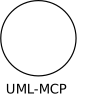
TikZ snippet only: draw the unit circle, axes from -1.5 to 1.5, label the axes x and y, place a node at (0,-1.35) with text "UML-MCP".
Mind map (template mindmap_simple)
TikZ mind map style (simple): root node "Server", children "MCP", "Kroki", "Clients"; use mindmap if appropriate or manual nodes.
Example Sequential Thinking flow (then generate_uml)
Illustrative steps you might run through the Sequential Thinking tool before generating:
- Scope: Single
tikzpicture, no full\documentclassneeded (Kroki wraps snippets). - Libraries: Default
drawsuffices for basics; if you needautomata,positioning,mindmap, etc., add\usetikzlibrary{...}on its own line before the picture so it can be hoisted (see Preamble hoisting below). - Coordinates: Keep the bounding box modest for SVG clarity.
- Text: ASCII labels inside nodes for portability.
- Validate: Call
validate_umlwithdiagram_type: "tikz", your draftcode, and"output_format": "svg". Fix any reported issues. - Generate: Call
generate_umlwithdiagram_type: "tikz",output_format: "svg", optionalscale(SVG only, default1.0, minimum0.1) if the preview looks too small in docs or chat.
Then call generate_uml with "output_format": "svg" and omit output_dir (or set it to null) if you only need a URL or content_base64 without writing a file.
Preamble hoisting
If your snippet is not a full LaTeX document, put \usetikzlibrary{...} and similar preamble lines on their own lines before \begin{tikzpicture}. UML-MCP hoists them into the generated preamble (see TikZ).
\usetikzlibrary{automata,positioning}
\begin{tikzpicture}[shorten >=1pt, node distance=2.2cm, on grid, auto]
  \node[state, initial] (idle) {Idle};
  \node[state, right=of idle] (run) {Running};
  \node[state, right=of run] (stop) {Stopped};
  \path[->] (idle) edge node {begin} (run)
             (run) edge node {halt} (stop)
             (stop) edge[bend left] node {reset} (idle);
\end{tikzpicture}
The same code string can appear inside generate_uml arguments as a JSON string with escaped newlines (each line ends with \n).
Named MCP prompts (UML-MCP)
| Prompt | Use when |
|---|---|
uml_diagram | Generic plan-then-generate for any supported type; steer the model toward TikZ in the plan and set diagram_type to tikz in the tool call. |
uml_diagram_with_thinking | Same, with an explicit planning step before TikZ source is finalized. |
There are no TikZ-only named prompts (unlike PlantUML class/sequence helpers). Fetch prompt text with prompts/get (MCP prompts). Load uml://workflow when you want the standard workflow copy (MCP resources).
Direct tools/call (JSON-RPC)
Minimal circle example (slightly thicker stroke for SVG clarity). Optional scale enlarges the returned SVG for previews and documentation:
{
  "jsonrpc": "2.0",
  "id": 1,
  "method": "tools/call",
  "params": {
    "name": "generate_uml",
    "arguments": {
      "diagram_type": "tikz",
      "output_format": "svg",
      "scale": 2,
      "code": "\\begin{tikzpicture}\n\\draw[line width=0.9pt] (0,0) circle (1cm);\n\\node at (0,-1.35) {UML-MCP};\n\\end{tikzpicture}"
    }
  }
}
Hoisted libraries + small automata-style diagram (same pattern as the TikZ automata example, trimmed):
{
  "jsonrpc": "2.0",
  "id": 2,
  "method": "tools/call",
  "params": {
    "name": "generate_uml",
    "arguments": {
      "diagram_type": "tikz",
      "output_format": "svg",
      "code": "\\usetikzlibrary{automata,positioning}\n\\begin{tikzpicture}[shorten >=1pt, node distance=2cm, on grid, auto]\n\\node[state, initial] (q0) {$q_0$};\n\\node[state, right=of q0] (q1) {$q_1$};\n\\path[->] (q0) edge node {1} (q1);\n\\end{tikzpicture}"
    }
  }
}
Example output (server-rendered SVG)
The asset below was produced with UML-MCP generate_uml (diagram_type: tikz, output_format: svg, scale: 2) and the same code as the first JSON example above (\draw[line width=0.9pt], circle + label).