Introduction
Welcome to a new chapter in my blog where I dive into the intricacies of building a robust home networking system. As a software engineer with a passion for networking protocols and efficient computing, I’ve embarked on a journey to design a system that balances performance, security, and cost-effectiveness. This post will detail my experiences and the technical decisions I made along the way.
Embracing the Challenge of Home Networking
My interest in networking began during my academic years, where I learned about various protocols such as IP, VPN, and IP7. Motivated by the high costs of cloud computing, I set out to build a home-based system. My goal was to use older computers, minimizing expenses on hardware and online services, while still achieving a high degree of functionality and efficiency.
Docker Containers: A Gateway to Versatility
An essential part of my project involved extensive research into Docker containers. I focused on free services that could serve as alternatives to existing cloud services, covering a range of applications from document scanning to home management tasks. This exploration into Docker containers not only allowed me to tailor services to my specific needs but also provided a solid foundation for understanding container-based architecture.
Developing with Bash and Home Servers
The heart of my system was a home server setup consisting of two main components: a Dell server purchased for a modest sum and an older computer from 2004. I created multiple bash scripts for various operating systems including Ubuntu, CentOS, and Proxmox. These scripts were instrumental in setting up and managing the servers, demonstrating the power of automation and scripting in a home network environment.
Overcoming Obstacles and Learning
Maintaining this system presented its fair share of challenges. I quickly learned the importance of specialized virtualization software for such projects. This realization led me to use a server specifically designed for virtualization tasks, streamlining the process and enhancing the system’s overall stability and performance.
Remote Management and Security
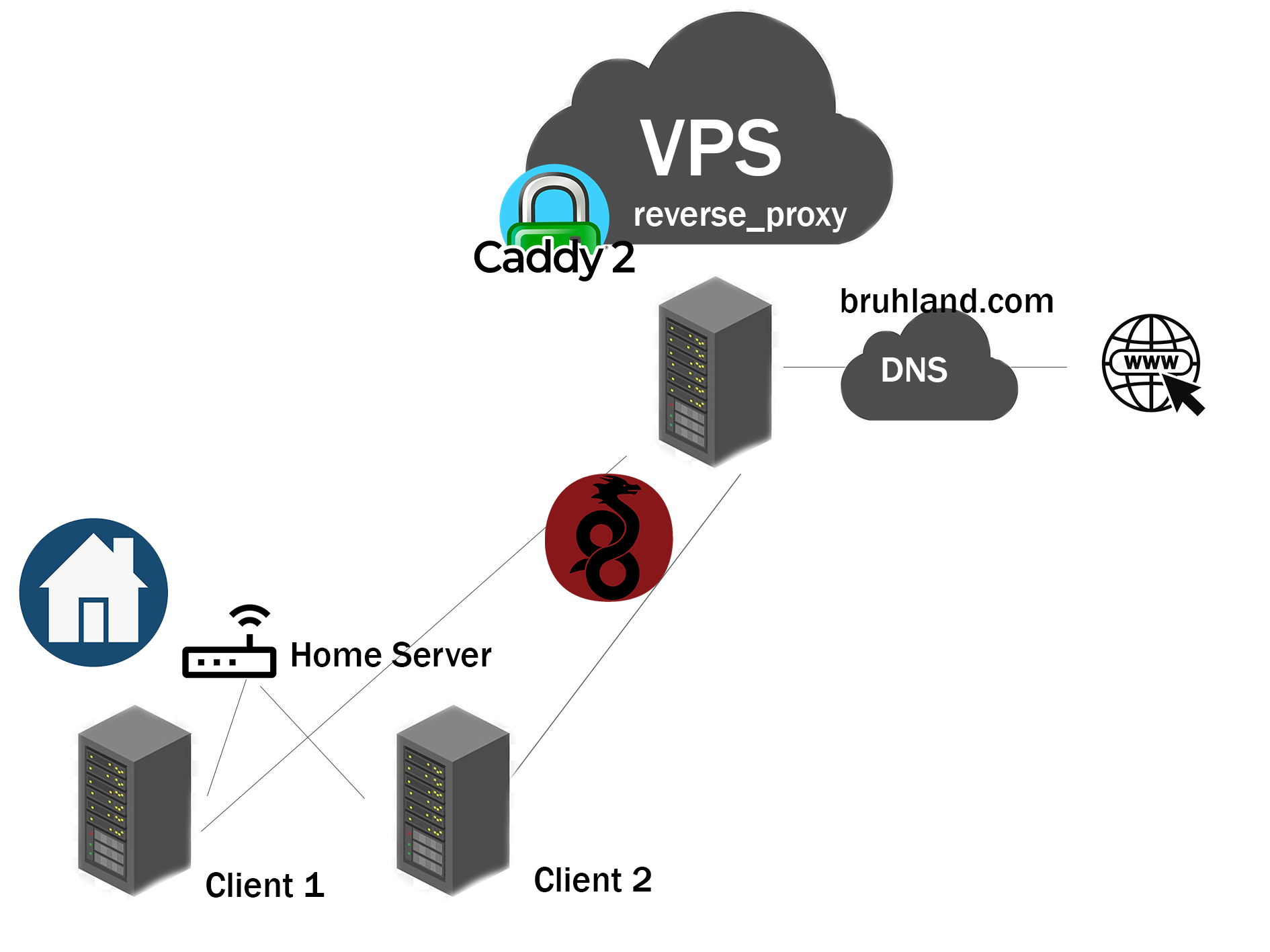
An essential aspect of my setup was the ability to manage computers remotely and monitor the health of services and hardware. I implemented a reverse proxy using Caddy, and for added security, I hid my IP behind an OVH server. This setup not only protected my network from potential hacking attempts but also provided a way to manage traffic effectively.
WireGuard: A VPN Solution
For VPN, I chose WireGuard. Despite its initial complexity in configuration, WireGuard offered a fast, secure, and reliable way to connect my network. I contributed to several projects to simplify its setup, making it more accessible for less tech-savvy users.
Expanding the Network
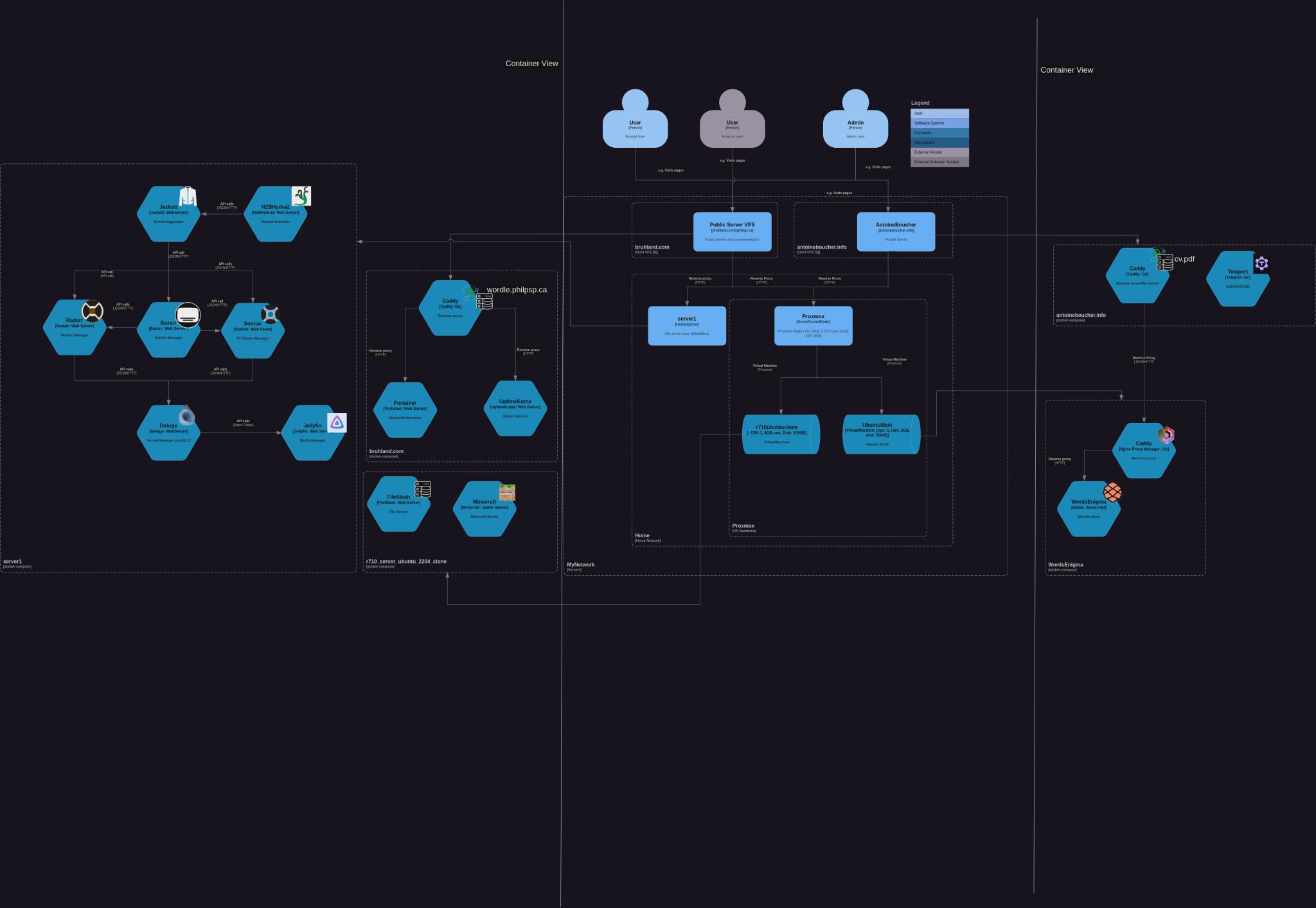
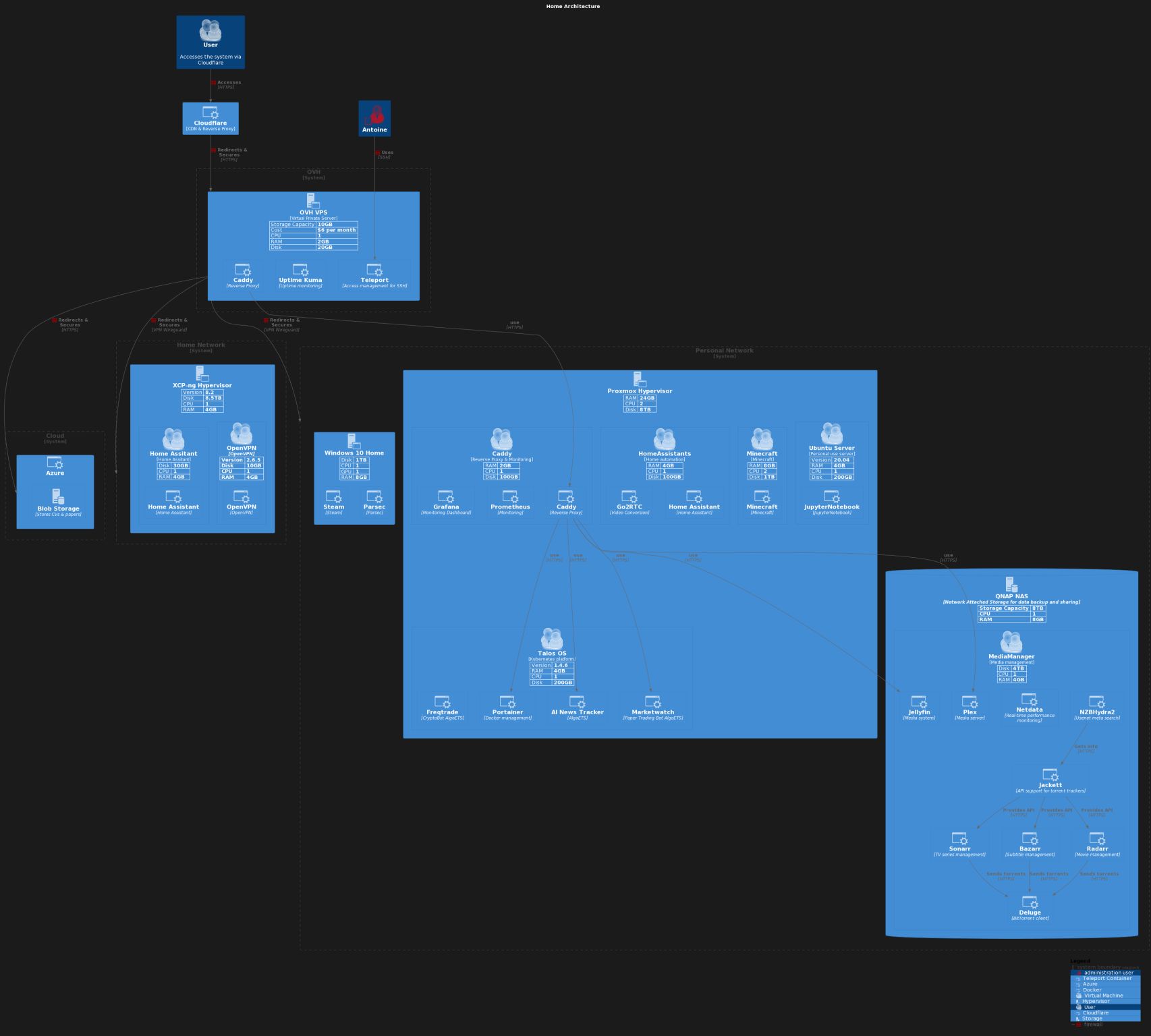
Upon moving to a new apartment, I expanded my network to include multiple locations. I used tools like Lucidchart to visualize my network architecture and Proxmox to create numerous VMs. This expansion was not just a technical upgrade but also an opportunity to share my knowledge with others, as I used my setup in a club project.
Future Projects and Reflections
Looking ahead, I am considering migrating to a static website hosted on AWS S3 to reduce deployment costs. Furthermore, I’m exploring the use of Github for personal projects, appreciating its free and open nature for individual projects.
Conclusion
This journey in home networking has been a blend of personal passion and professional development. Through this process, I’ve learned the importance of balancing performance, security, and cost. My experience demonstrates that with the right knowledge and tools, creating an efficient home networking system is not only feasible but also incredibly rewarding.